Adding Point of Interest
- To add point of interest, click on the below link:
https://unicef- hq.maps.arcgis.com/apps/CrowdsourceReporter/index.html?appid=b3463e8afaa9443ba2f7be 4979a139bf
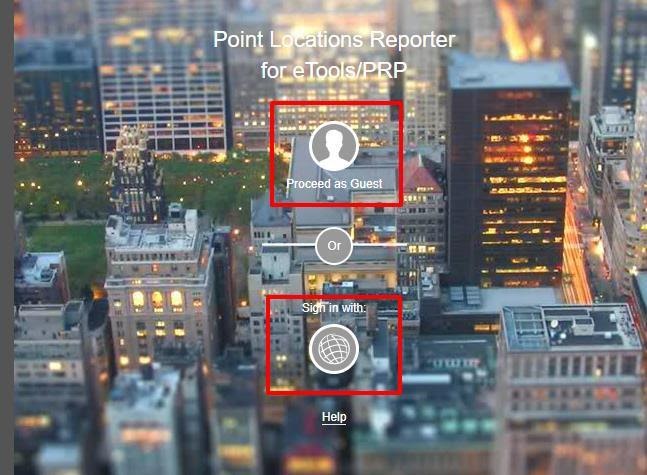
- You will be directed the below screen, then you select either Proceed as guest
or Sign in with ArcGIS
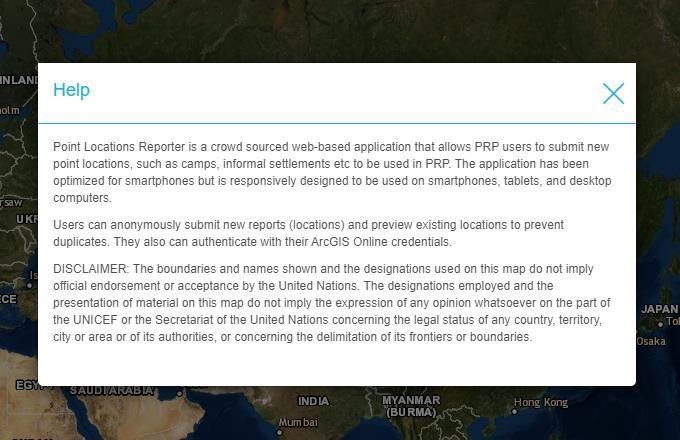
Note: once you are signed in, the below Help / splash screen will pop up showing a simple description and disclaimer, click on the X to close it.
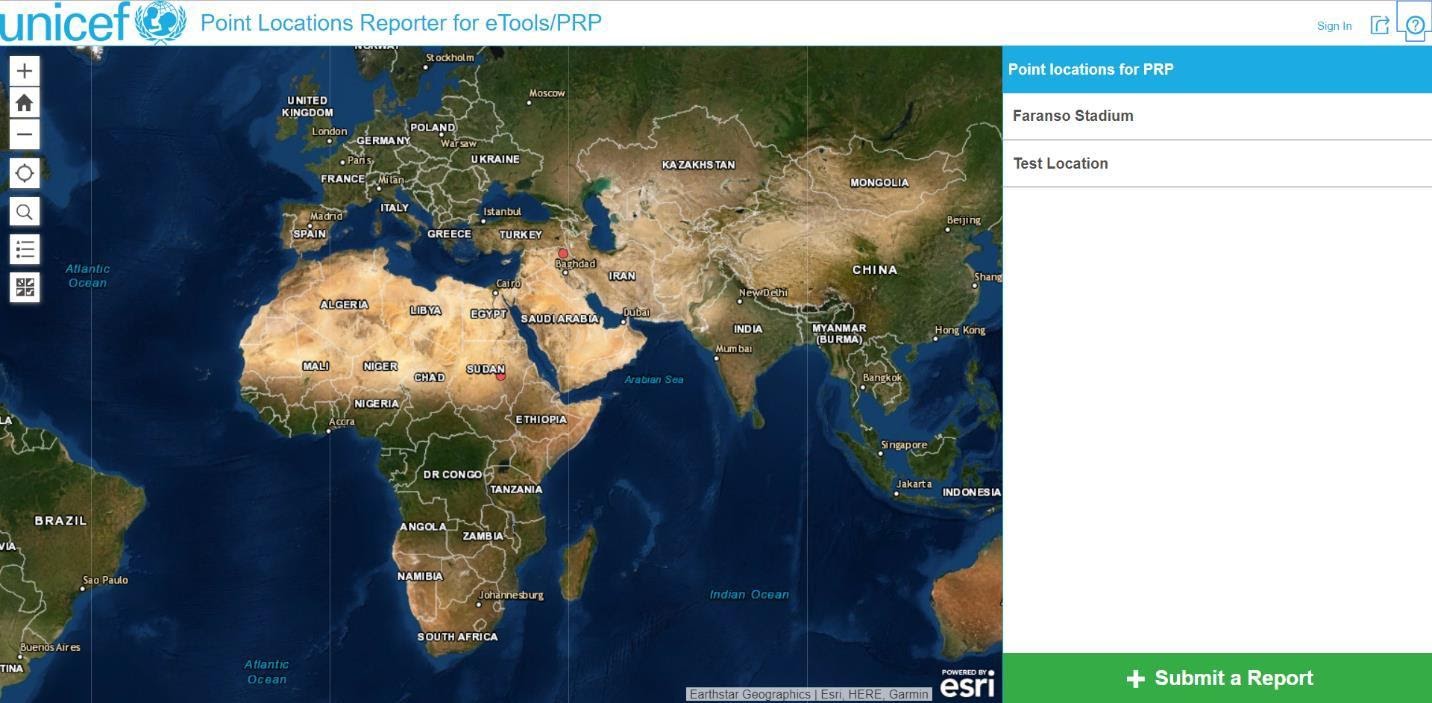
- Once you selected Proceed as Guest, the below screen will display, then you will click on
SUBMIT A REPORT
Note: to avoid duplication, before submitting report, make sure to check if the location has been previously entered or not.
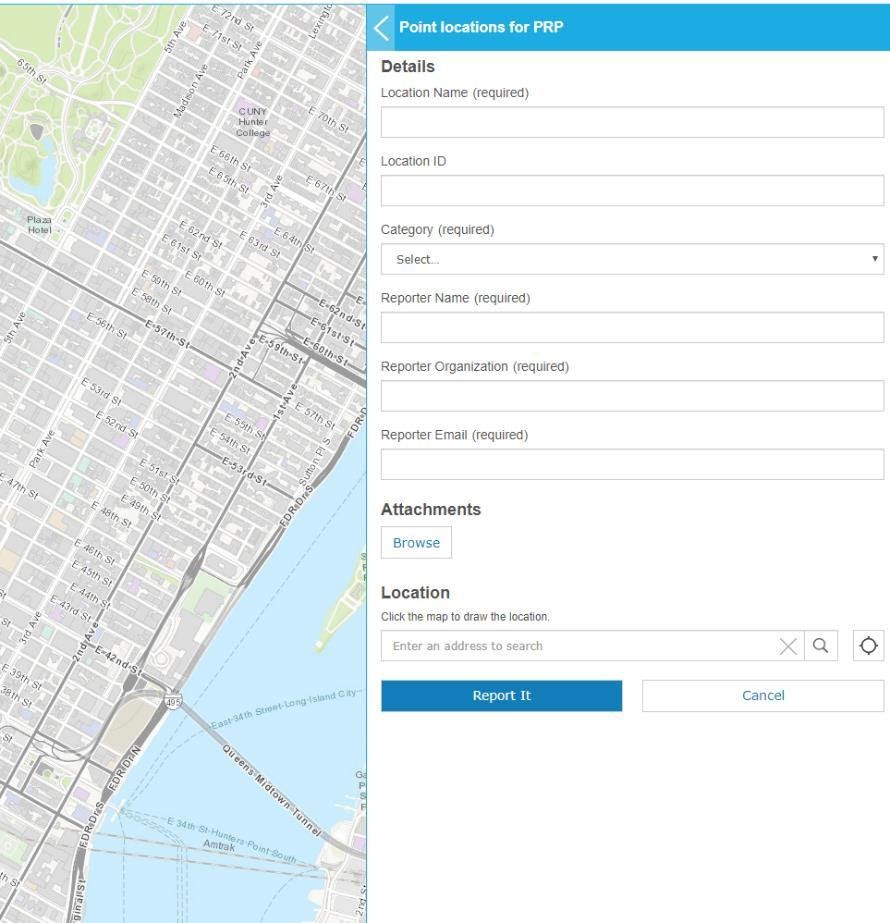
- After clicking on SUBMIT A REPORT, the below screen will display, and you need to fill the below Details:
-
Location name
- Location ID
- Category
- Reporter Name
- Reporter Organization
- Reported Email
- Upload attachment if needed
- Location: either type and search the location you want or use the map to locate the location you want, then hover over the map and click on the exact point that you want to report, once you clicked a small black circle will be pin pointed.
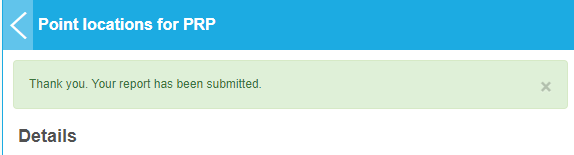
- Once you have filled all the details, click on REPORT IT, then the small black circle pin point will change color to RED and you will see the below message
-
Once all the points of interest have been uploaded, please send an email to Jan Burdziej jburdziej@unicef.org our UNICEF focal point and let him know that you reported new location(s). New points will be regularly validated and uploaded to PRP.
Additional features:
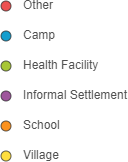
- The locations are styled by category (different colors for different category)
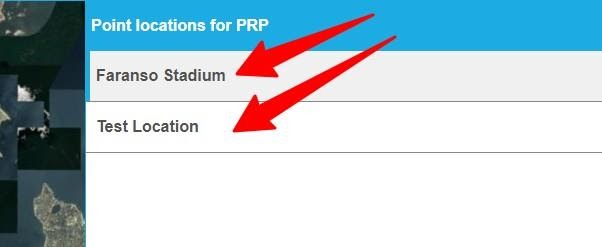
- On the top right side, you can see a list of your previous reports, once you click on the report, you can see the detail and the map will zoom in to the exact location.
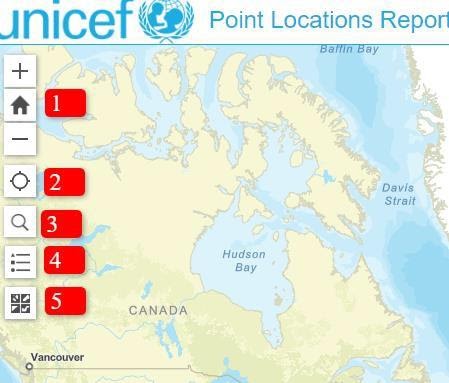
- On the top left side of the map, you can see:
- Zoom in, zoom out and default extent (to navigate the map)
- Find my location (directs you to your current location)
- Search (to search any location)
- Legend (showing the different location categories)
- Basemap gallery (a collection of basemaps to select from)