Analysis
- Log into Partner Reporting Portal Cluster
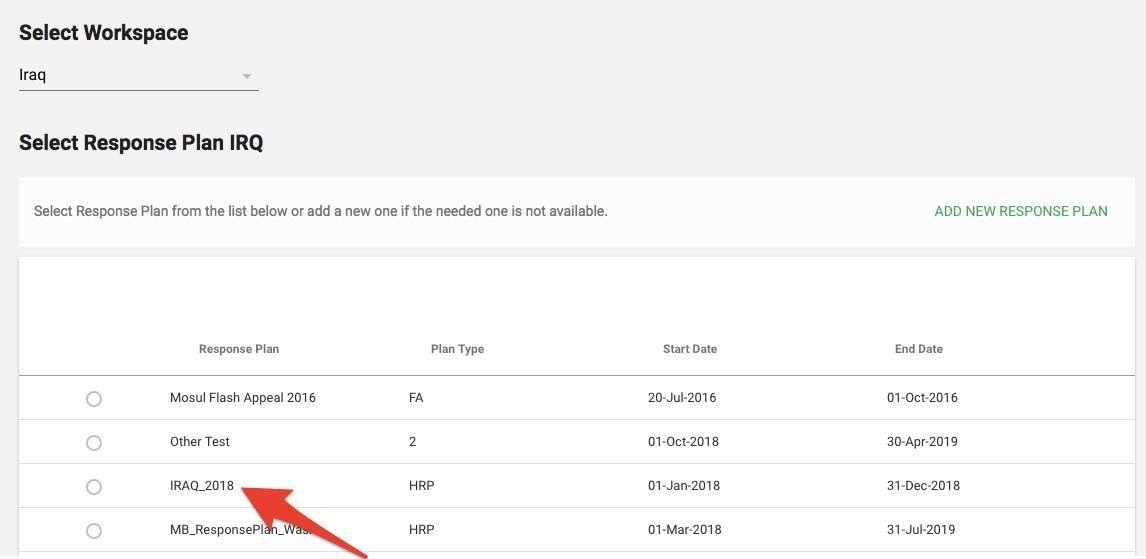
- Select Response Plan from the list and click Confirm
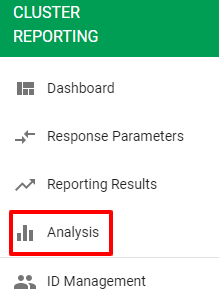
- Go to left navigation bar and select Analysis
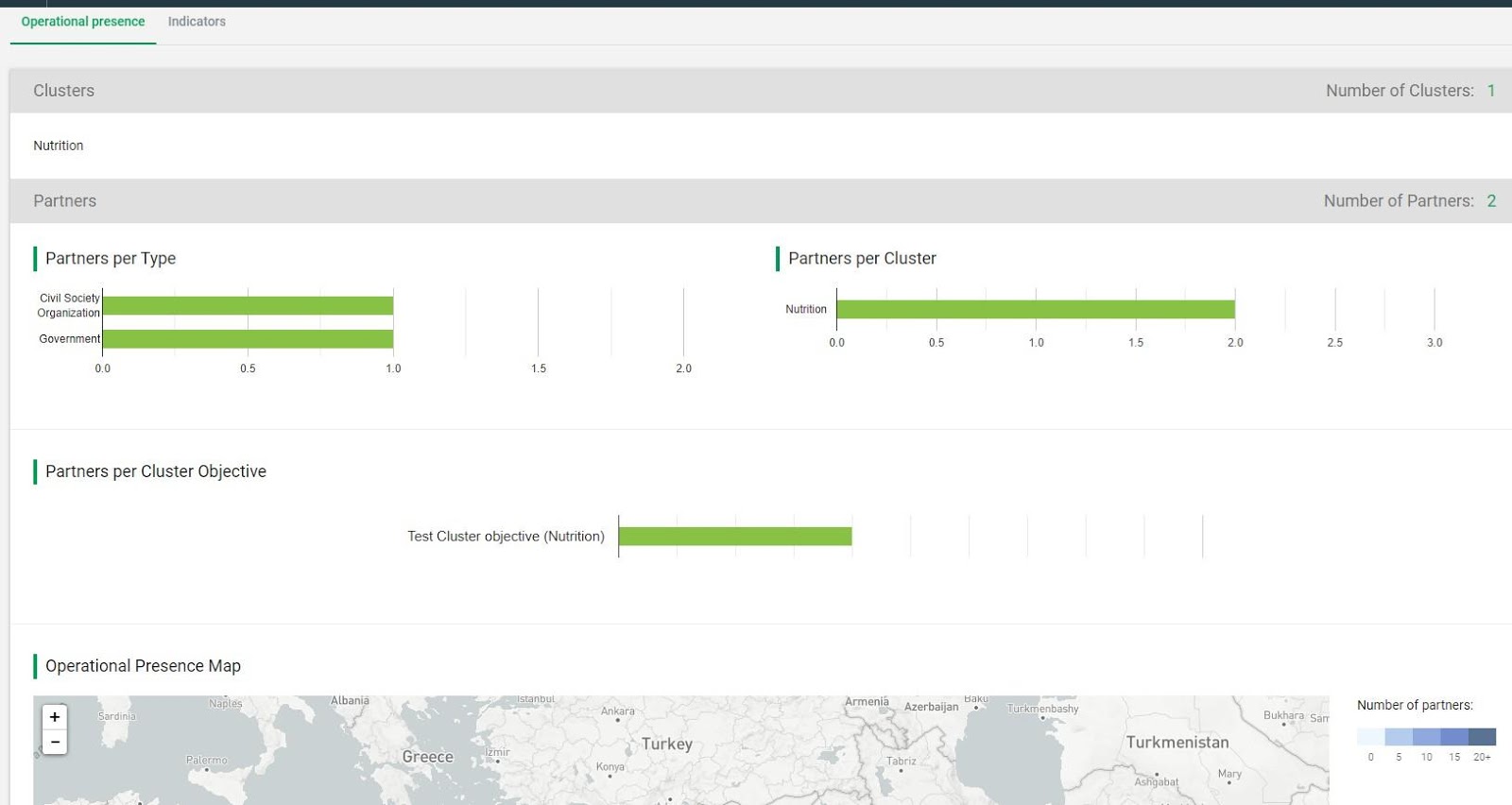
On the Analysis tab the users can conduct analysis for a particular response plan and get a sense of progress/work being done. On the high level they can see the operational presence (which partners, in which clusters, in which locations etc.) and progress that indicators are making.
- Filter: On the Analysis Tab you have the filtering optionality, you can filter by:
- Cluster
- Partner type
- Cluster Objective
- Location type
- Location
- Narrow Location type

- Operational presence Tab:
- Clusters (with Number of Clusters)
- Partners per Type - divided by: International NGO, National NGO, UN Agency, Government;
- Partners per Cluster Objective - user can see a title of objective with the title of Cluster, it refers to.
- Operational Presence Map - depending on selected location, user can see a map with colors showing the number of Partners in each location in the country. Zoom in/out capabilities will be there as well.
- Operational Presence Table - table is showing number of Partners (with a name of a Partner) working in each Cluster in each location. Table is exportable. It's also scrollable horizontally (in case of large number of Clusters) and vertically
- Indicators: The indicators are grouped into sections based on what they are associated with the "Indicator Type" selected from the dropdown. The default type being Cluster Activity. All Cluster Activities will be shown (depending on filters selected) with their indicators within them. Progress against target and against in- need will be shown when indicator is closed.
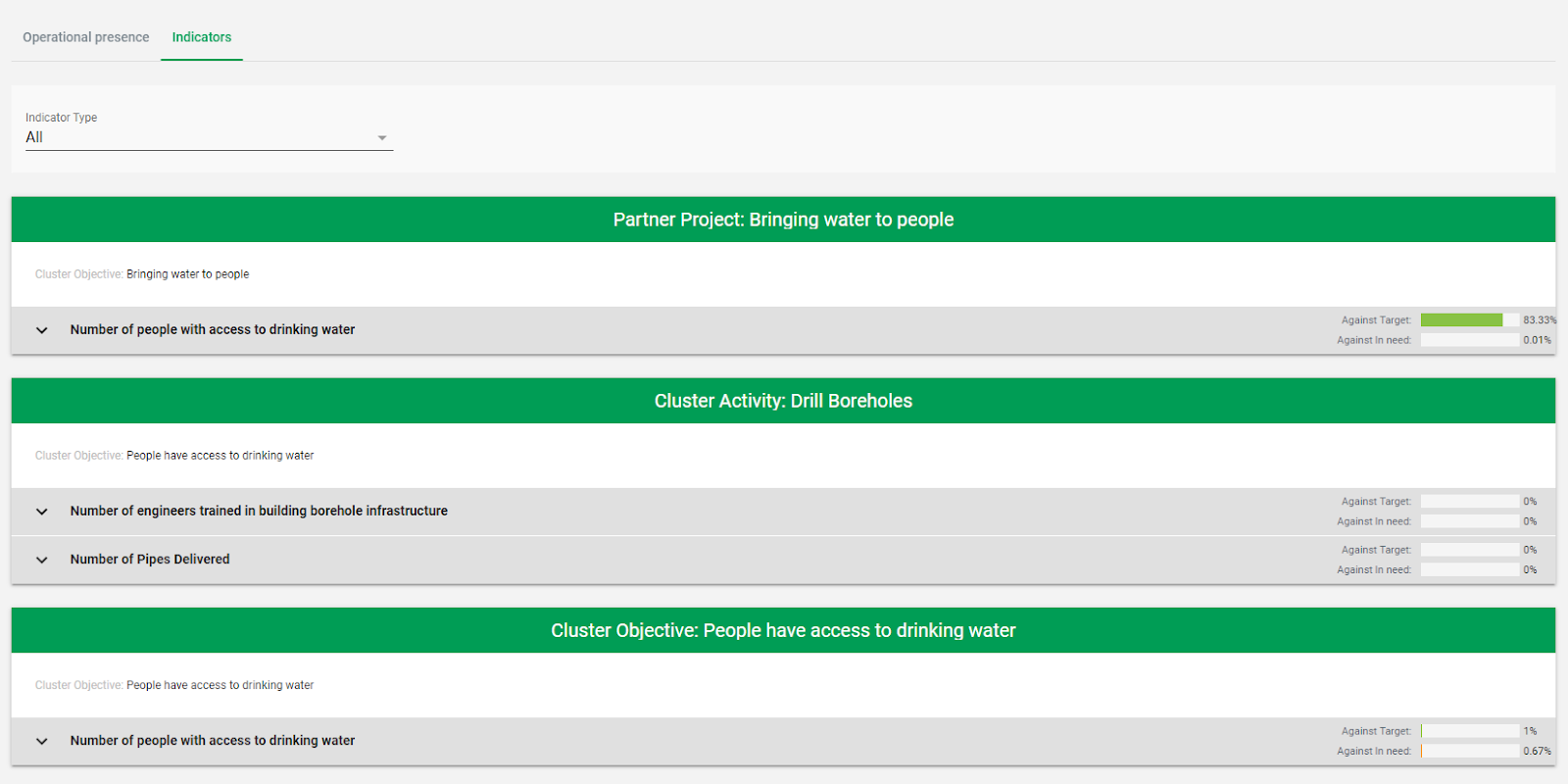
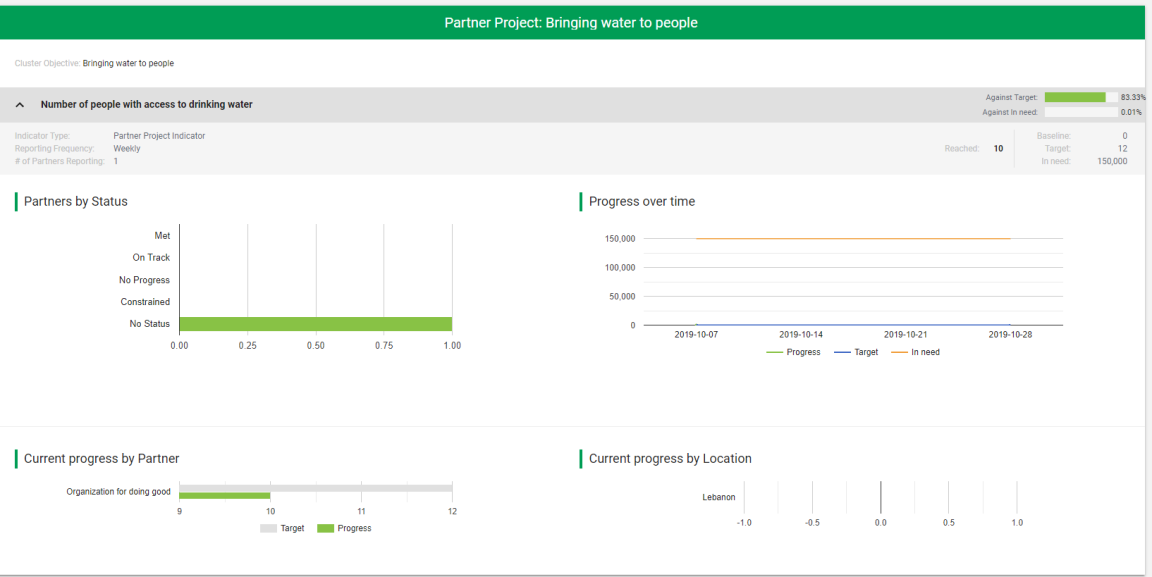
Once indicator is clicked then user has access to the information about:
- Indicator type
- Reporting frequency
- Number of Partners Reporting
- Number of Reached
- Baseline
- Target
- In need
Also, you can see charts for:
- Partners by Status (Met, on track, no progress, Constrained, No status)
- Progress over time (showing data for Progress, Target and in need)
- Current Progress by Partner (showing progress made by Partner with reference to the target set by this Partner for this Indicator)
- Progress by Location (showing progress in each location made by all Contributing Partners in this location).