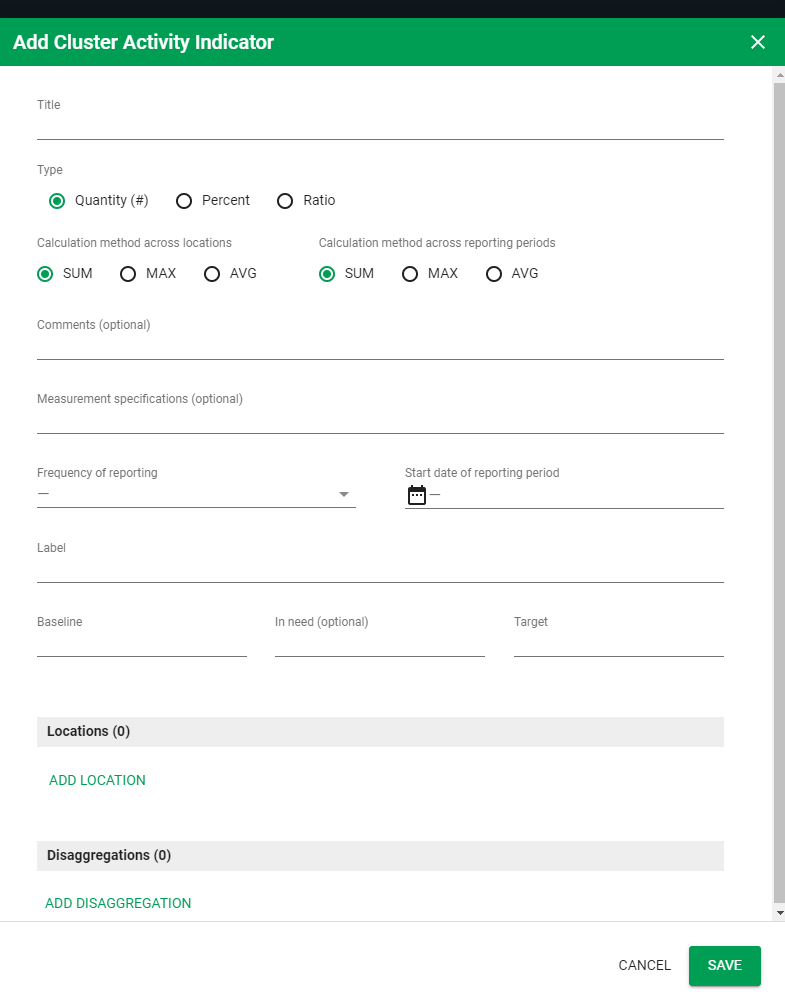
Add Cluster Activity and Cluster Activity Indicator
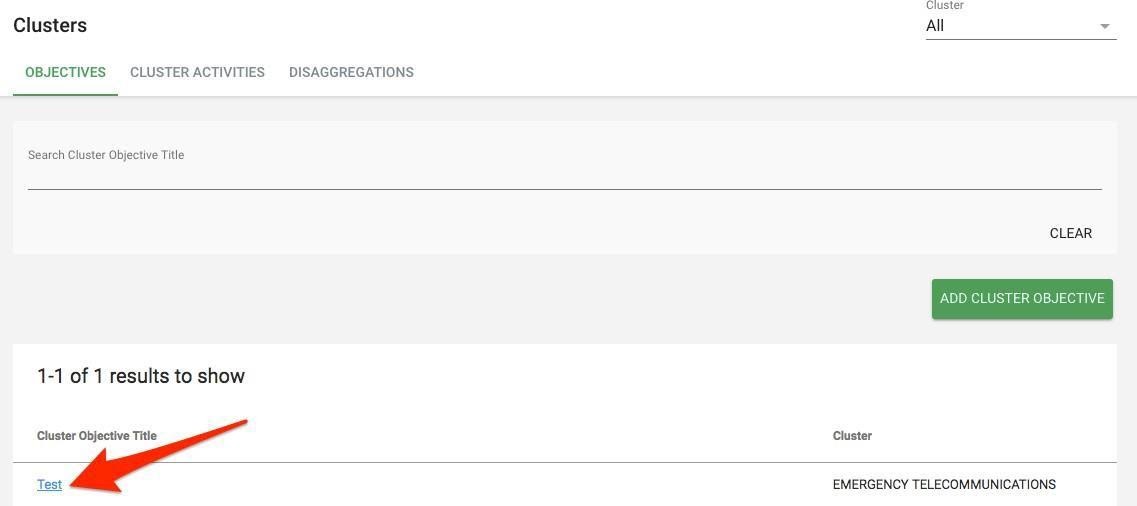
- To add Cluster Activity. First open Cluster Objective Overview page by clicking on the Cluster Objective Title
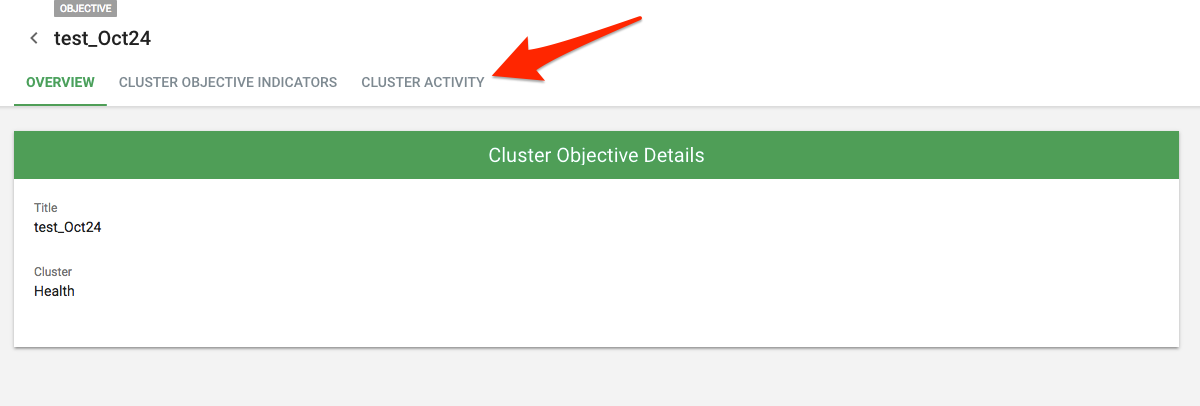
- Click on Cluster Activities tab
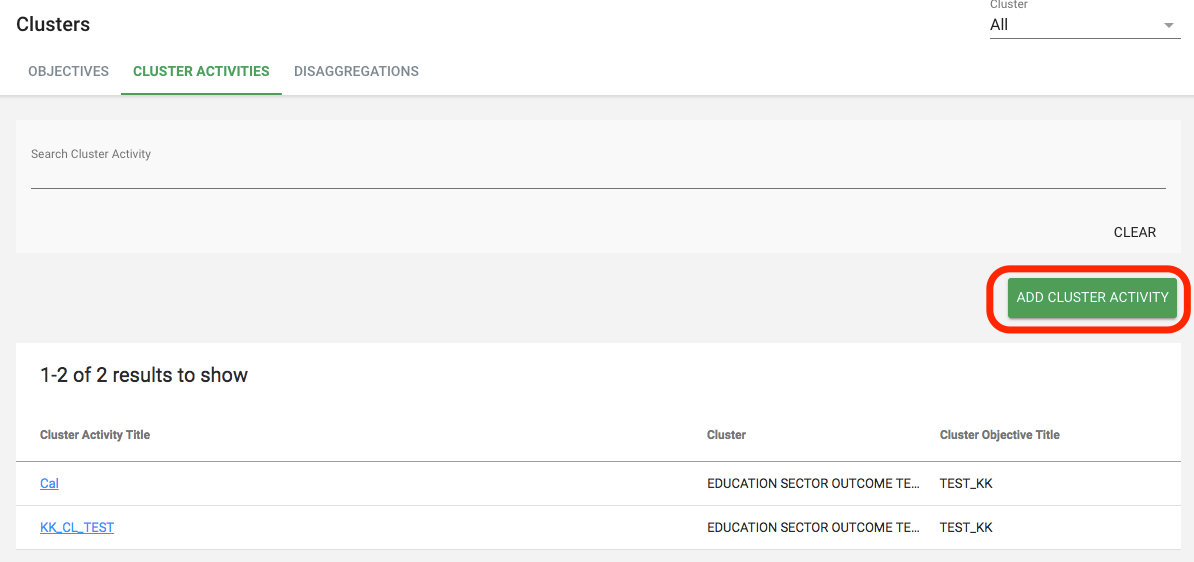
- Click on Add Cluster Activity
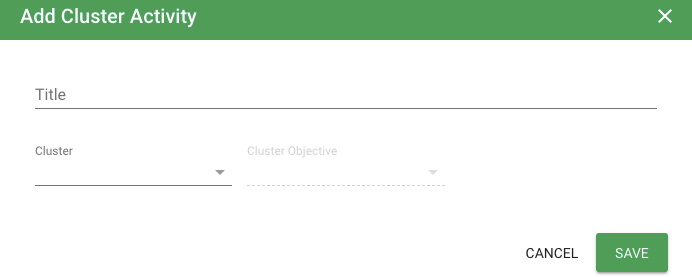
- Add cluster activity Title. Select the Cluster from the drop-down list (select the same cluster which was selected when you added the cluster objective). Select Cluster Objective which was created for that selected cluster. Click Save
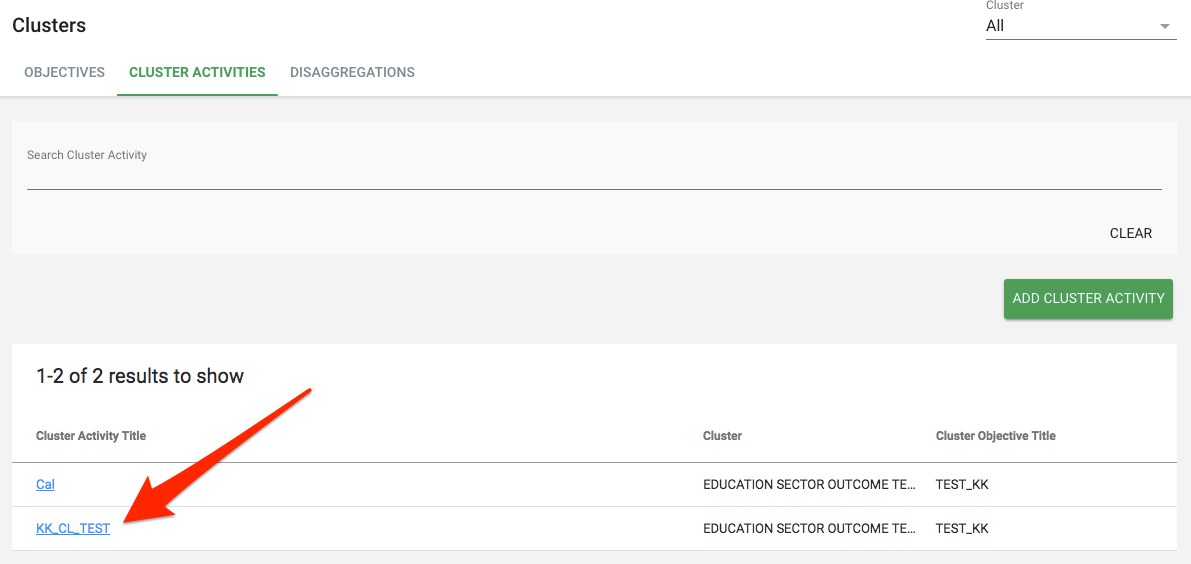
- Once you created Cluster Activity, you will need to add Cluster Activity Indicators. Click on your Cluster Activity title in the list of your cluster activities
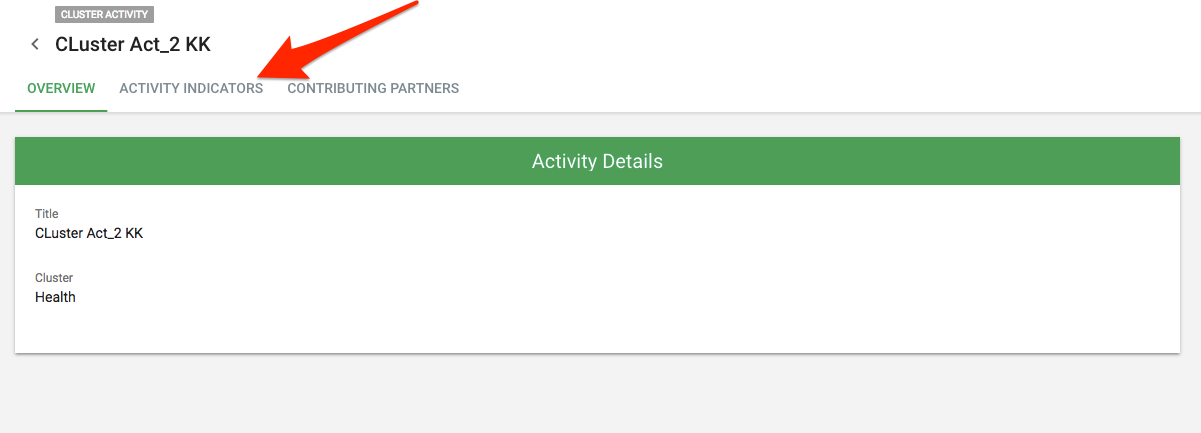
- Once the Cluster Activity opens, click on Cluster Activity Indicators tab
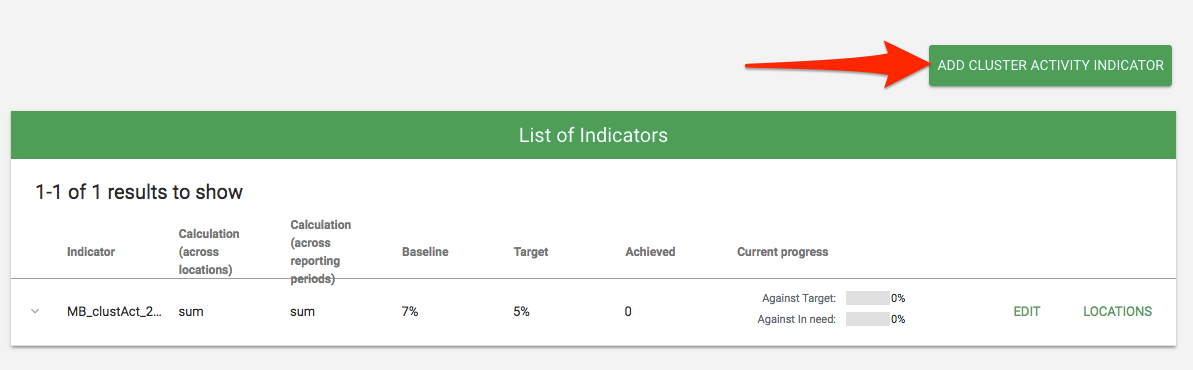
- Click on Add Cluster Activity Indicator
- Enter necessary information and click on Save button
- Enter the title
- Select the type (quantity, percent, ratio)
- Select the calculation method across locations (sum, max, avg)
- Select calculation methods across reporting periods (sum, max, avg)
- Enter comments (optional)
- Enter measurement specifications (optional)
- Select frequency of reporting (weekly, monthly, quarterly, custom dates)
- Enter start date of reporting period, Label (numerator label and denominator label appear only for percentage and ratio calculation method), Baseline, In need (optional) and Target
- Add Location (link) (select the admin level and location, enter baseline, in needand target at location level)
- Add disaggregation (displays the disaggregation added in the disaggregation tab)